I setup both FreeNas and TrueNas Scale in the past with help with guides.
I got it setup and functioning finally, but then my family and freinds switched mostly to smartphones. So I decided I didn’t need the server anymore.
Now, I am back to my old server as smart phones are cgarging for cloud service, so I can hopefully figure this out.
I have a pair of 256GB raid1 boot drive setup, plus 4 x 4TB drives that was preconfigured and left in my old case. but one of the drives won’t register anymore. but I have 3 drives still.
I have 3 WD red drives and 1 hitachi drive. 1 of the WD Reddrives are bad, or not registering.
I pulled the 1st WD Red drive sata connector and it was the bad drive.
I was hoping for some help, as some things seemed to have changed. and guides are overwhelming.
Find the introductory email you received when you signed up for the Forums. Do the TrueNAS Bot tutorial and browse some other threads to get your forum trust level up and post some images so we can see what you are seeing.
TrueNAS-Bot
Type this in a new reply and send to bring up the tutorial, if you haven’t done it already. @TrueNAS-Bot start tutorial
Sorry man - new accounts can’t post links/pictures until they complete a quick tutorial on the forums. Check your DM’s - you should have gotten a message from a BOT that gives you the rundown. After that is done, hopefully we can get things going fast with your screenshots.
OK, I found it on the TrueNAS server. but I can’t copy and paste it?
There is a ton of info.
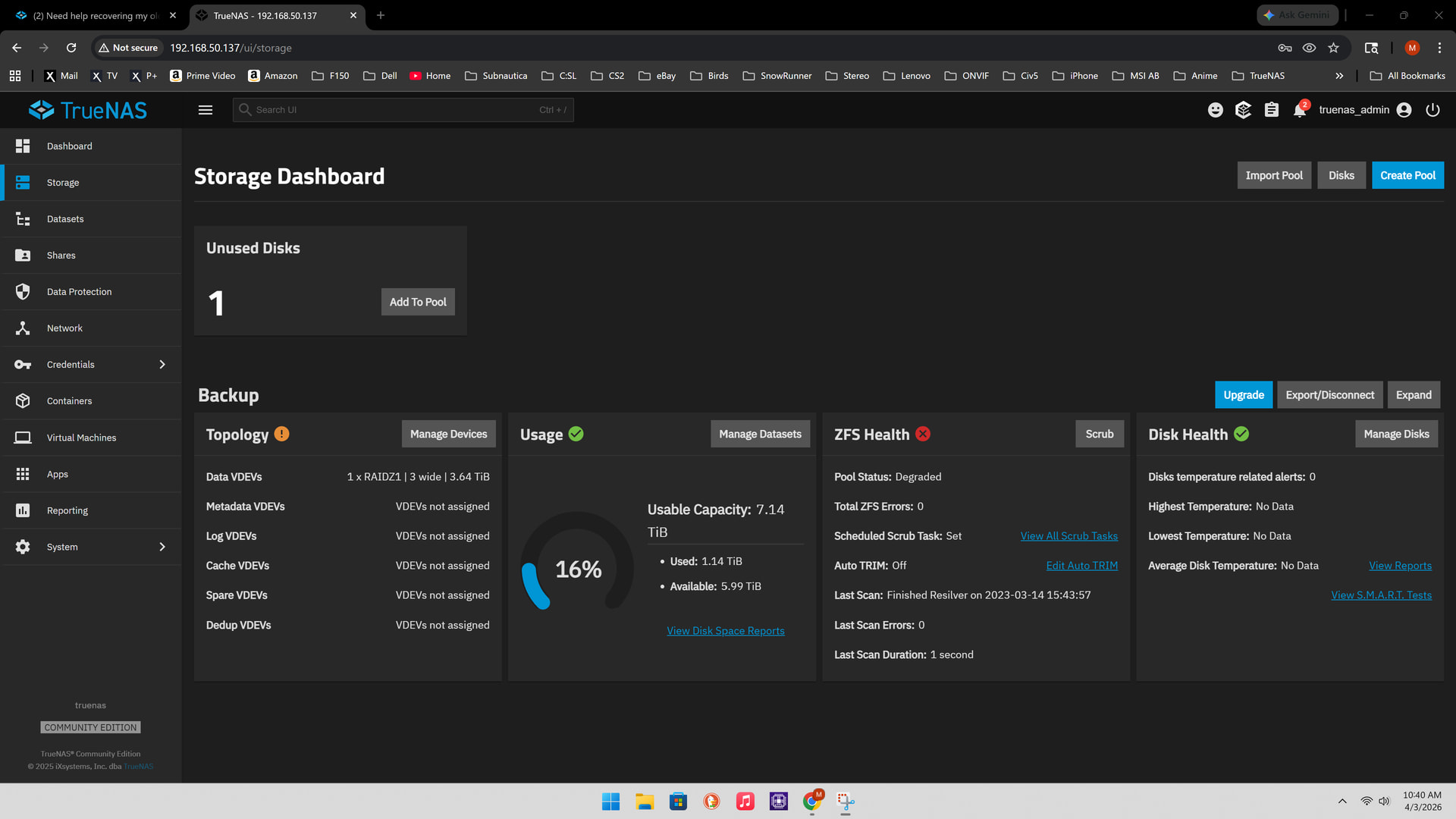
Pool: Backup
State: Degraded
Status: One or more devices could not be used because the label is missing or invalid. sufficient replicas exist for the pool to continue functioning in a degraded state.
I am guessing you are using the Shell page in the GUI.
You should be able to copy and paste info from that window.
Shift + Insert to PASTE
Ctrl + Insert to COPY selected text in the Shell window.
Paste the info back to the forum using Preformatted Text mode. (</>) icon on toolbar or Ctrl+e
OK, I found it on the TrueNAS server. but I can’t copy and paste it?
There is a ton of info.
Pool: Backup
State: Degraded
Status: One or more devices could not be used because the label is missing or invalid. sufficient replicas exist for the pool to continue functioning in a degraded state.
Pool Backup state is DEGRADED: One or more devices could not be used because the label is missing or invalid. Sufficient replicas exist for the pool to continue functioning in a degraded state.
The following devices are not healthy:
Disk 8274919454823983753 is UNAVAIL
2026-04-02 17:20:58 (America/Los_Angeles)
DismissGo to Storage
Notice
New ZFS version or feature flags are available for pool ‘Backup’. Upgrading pools is a one-time process that can prevent rolling the system back to an earlier TrueNAS version. It is recommended to read the TrueNAS release notes and confirm you need the new ZFS feature flags before upgrading a pool.
In your first post you said you had 4 disks, but apparently you have a raidz1 with just 3 disks. You pulled one, which is now missing (unavail). As a raidz1 “tolerates” the failure of one disk, you can still access the data, but you do not have any redundancy. So will have to add another disk, same size or bigger, to replace the one you pulled and allow zfs to recreate redundancy (resilver).
Or, maybe the disk you pulled was actually fine, and the hitachi was the “bad” disk that did not show up?
You don’t need to use TrueCommand Cloud to connect to your server. That is an optional choice. Just the web browser should do for now.
Posting an image of the Storage tab may help.
Do you have a spare disk to replace to replace the failed one? What are you attempting to do? Are you just trying to get data off this? Are you trying to start completely over and the current set up can be completely wiped of all info or trying to keep the past set up?
Ignore the message about New ZFS version and feature flags for now.