Yes, I found an old 4tb spare and used diskpart to CLEAN it like it was new.
I want to restore my old TrueNAS backup and use it.
I still have to replace the bad drive, that should only take a few minutes.
Yes, I found an old 4tb spare and used diskpart to CLEAN it like it was new.
I want to restore my old TrueNAS backup and use it.
I still have to replace the bad drive, that should only take a few minutes.
Did you already attach it?
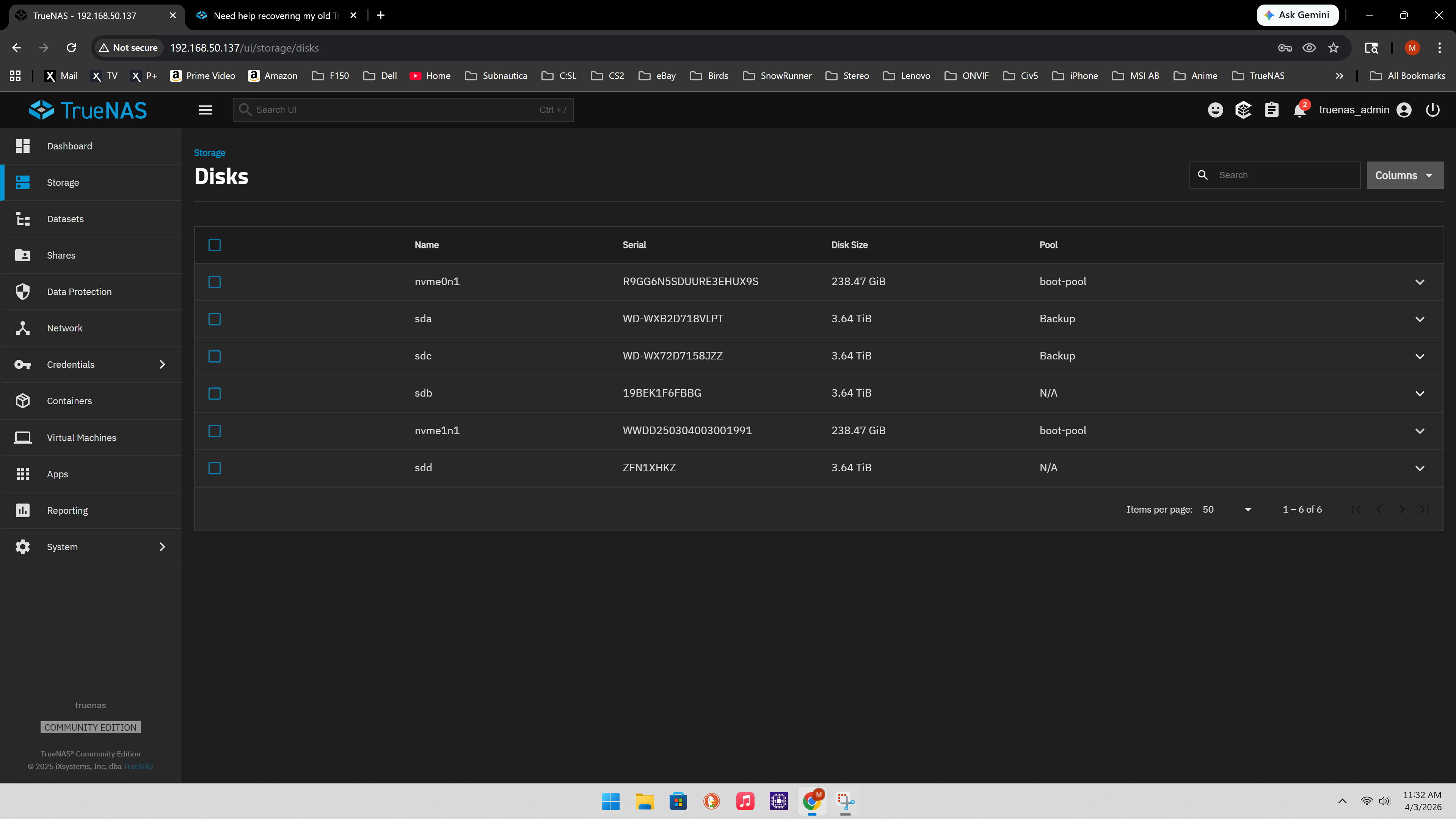
Is that the Unused disk? Maybe click on Manage Disk to see the disk you have and if they are part of a vdev/pool.
You could use that disk, if it 4TB or bigger, to replace the missing disk in your 3 wide vdev, via Manage devices.
If the data is unimportant, then you could destroy the vdev and create it new, either with 3 disk or with 4.
If you upgrade you pool to the newest zfs version, you could later extend the the vdev with a fourth disk, with some disadvantages regarding space and space reporting.
Just plugging it in will not start any replacement process, you have to click on the Manage devices and explicity start this.
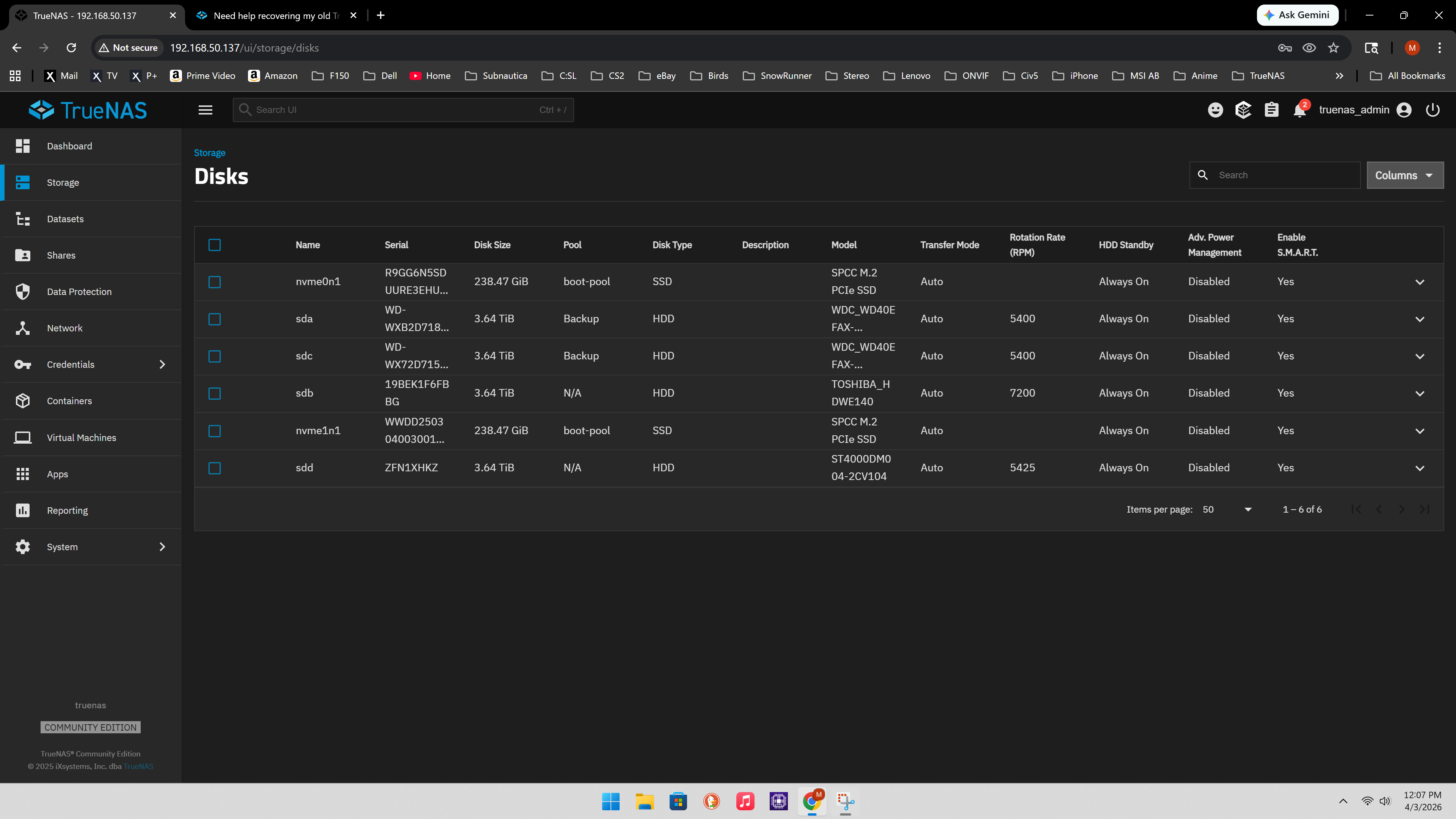
So you have 4x 4TB now, two unused. One you have added recently, If you click on columns on the right, you can add columns with more information to identify the disk.
What is the version of TrueNAS Scale? Your screenshots don’t match the VM of 25.10.2 - Goldeye I have running.
I am not sure which version. I did reinstall the TrueNAS thinking I had the wrong one.
How can I fix this? Just upgrade/downgrade?
What version is showing on your Dashboard page under system info box?
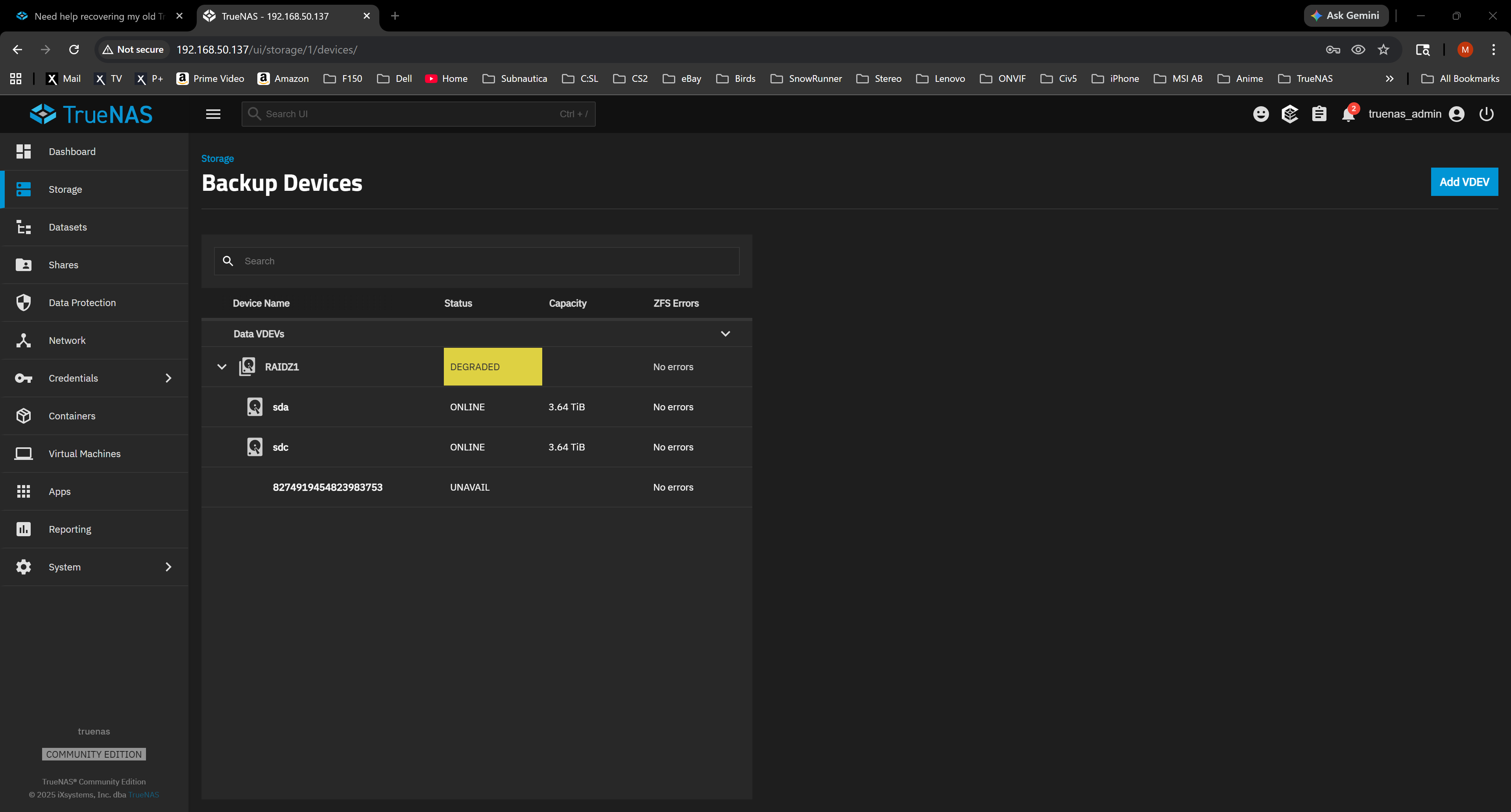
I think prez02 wanted you to go to the Storage Tab and then the Manage Devices button for the Backup pool. You may have to expand the view to see all the disk members.
The missing or removed disk will not show on the Storage, Disks menu. Trying to see what your VDEV (pool) status looks like and make sure you replace the correct disk.
TrueNAS Version: 25.04.2.6
I will try Manage Devices button. It showed all drive names so far. I will read more.
Yes, that Manage Disks was to figure out which disk are actually installed.
So we have 2 WDC-WD40 EFAX, a ST4000DM004 and a Toshiba. Do not know about the Toshiba, but the other three are SMR drives, so not really suited for ZFS.
Edit: Maybe that was the reason the other WDC failed.
SMR has slow sustained write speeds, which can lead to zfs thinking, it is defective and kicks it out of the vdev.
With SMR drives involved you are better starting fresh with new, CMR drives. Recovering the degraded pool could cause more troubles with the resilver process. If you need the data, make a backup of it in the current, degraded pool state. You will only be reading the data and making a copy elsewhere.
SMR vs CMR ServeTheHome
TrueNAS Docs - WD Red SMR Drive Compatibility with ZFS
OK, I can make a backup of the drive.
I have a really dumb question, how do I access the files to back them up? I don’t think I know the name or password. it’s been a few years since it was setup.
If you got logged into the TrueNAS system, you can change the password for SMB sharing. Did you have a separate user? Take a look at the Sharing tab and see how you have it set up
Let’s look at the Shares tab and see what you have set up. The Datasets tab may show anything that is shared also.
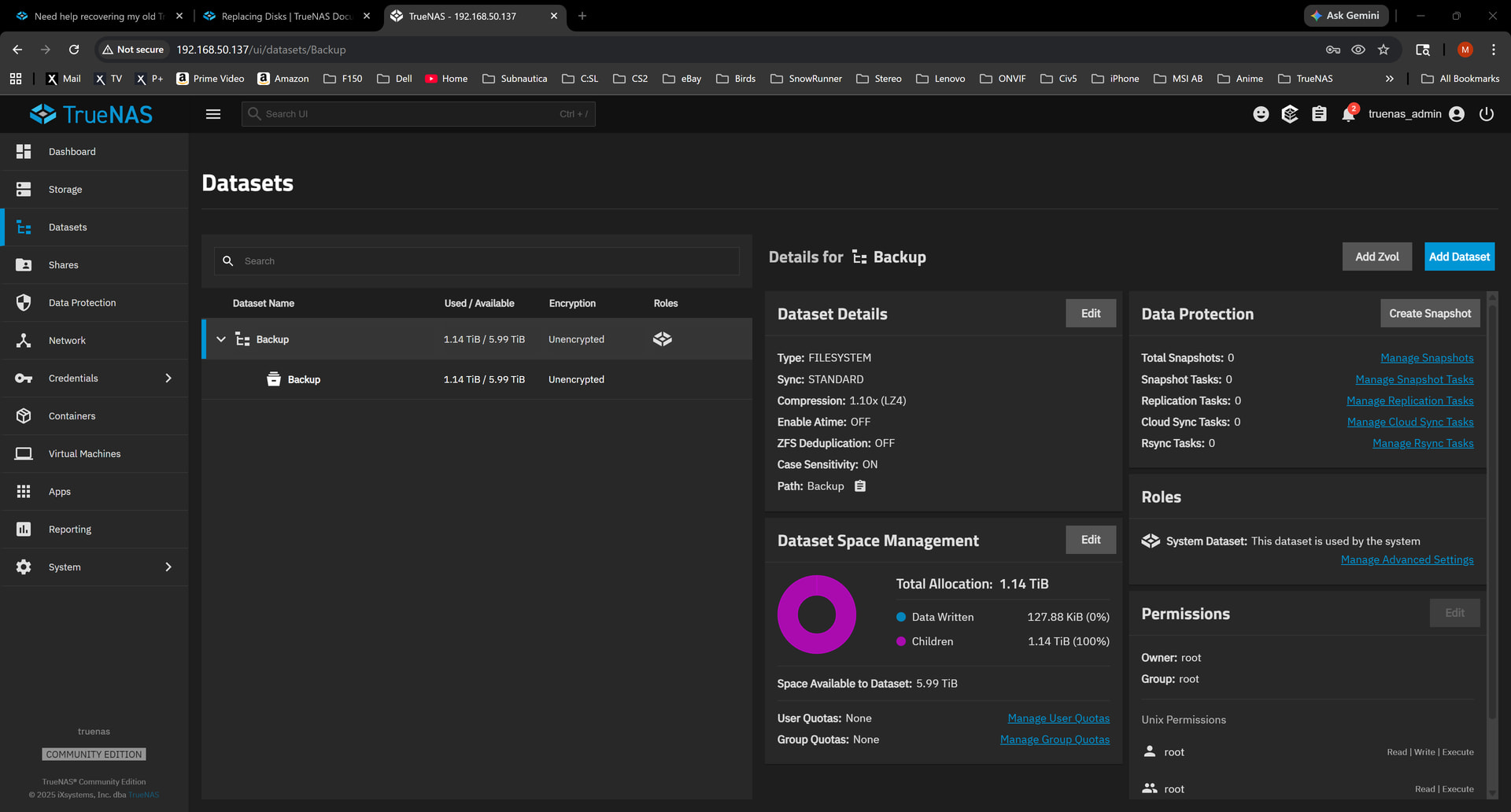
You should be able to share the Backup/Backup dataset over SMB and copy anything from inside that Child dataset once you set up SMB sharing. I am guessing you want to back up over SMB?
If you click on the Child Backup, is it owned by root also under the Permissions? You should be able to follow the documentation for sharing over SMB and get access to anything inside the Child Backup dataset.