The linked Transceiver only does 1Gbps and not 10Gbps. You would be going slower.
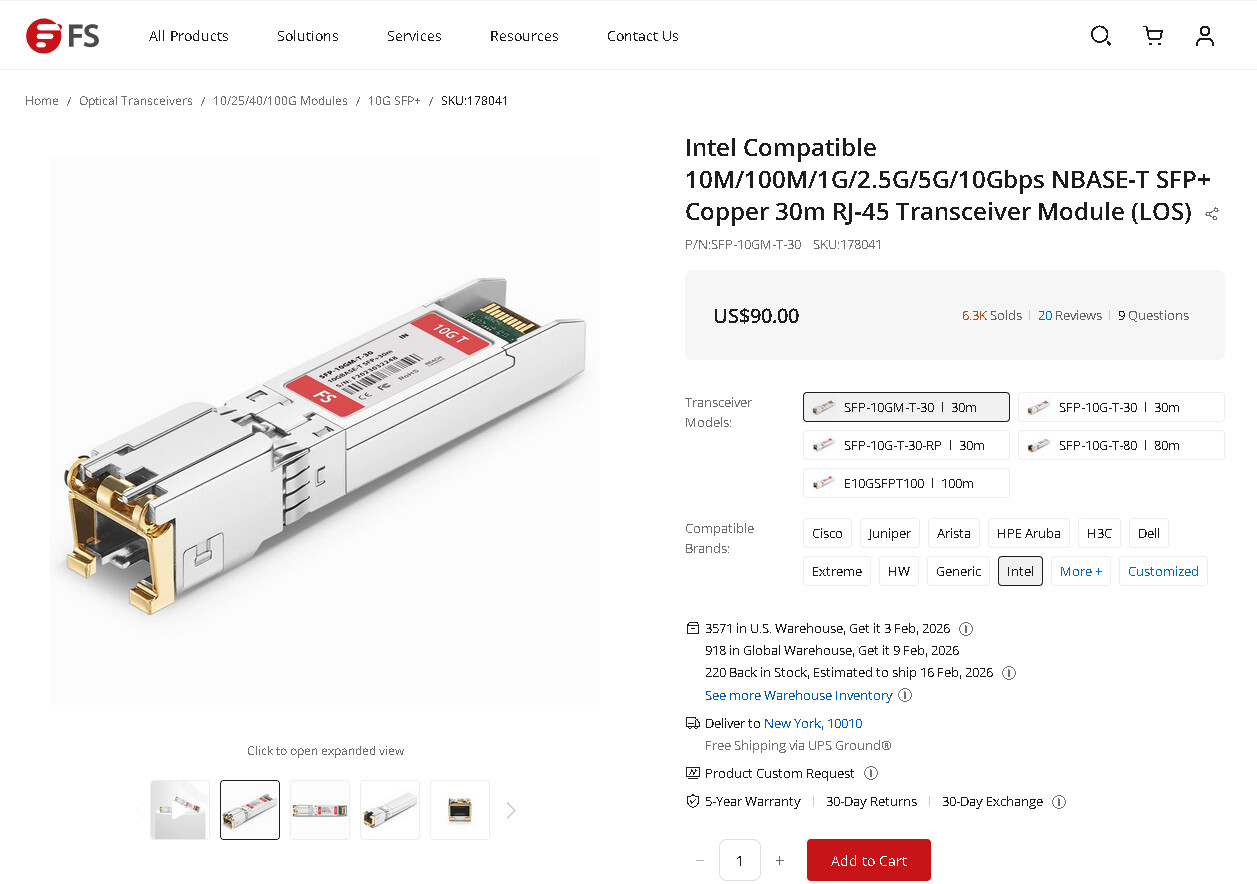
I did find one SFP+ on FS.com. I put in the info for Intel compatable.
The linked Transceiver only does 1Gbps and not 10Gbps. You would be going slower.
I did find one SFP+ on FS.com. I put in the info for Intel compatable.
Thanks but are those converters any good on fs.com.
Apologies if I seem a bit green on this subject, as I am
FS.com and 10GTek are two companies that have been recommended on the forums, here. I didn’t see any multi-gig SFP+ transceivers listed for 10GTek but found that one on FS. You can do an internet search to try to find ones that work with the Intel x550
I just realized, you are putting this in the switch? Read the documents for the switch on compatible SFP+. Some take generic. I did the search specifically for the Intel and thought it was going into a network card.
You still need to make sure it was multi-gig though. The switch may have a list of tested transceivers in the documentation.
**Some switches have limits in how many SFP+ / RJ45 transceivers they can take due to power and heat.
I did a bit of searching and some people are using one of those sfp rj45 converters as a cheaper option
My new switch is a Yuanley x4 2.5Gb rj45 ports and x2 10GB sfp ports and google says that most 10Gb SFP to RJ45 copper modules (especially 10Gbase - T) work with Yuanley 10G SFP ports as they generally support auto negotiation. then give a few to pick from.
As long as it works in your switch, you should be fine.
I have the multi Gb sfp rj45 module plugged in the the 10Gb sfp port on the Yuanley switch and plugged the TrueNAS lan cable into it. Using iperf3, the speed is still around 2.3Gbits/sec from my desktop to TrueNAS.
Now, I’m guessing that I now need 2 more things: a 10Gb nic for my desktop, which I will order, and another multi Gb sfp rj45 module.
Please advise.
If that Yuanley switch can cool itself with the two SFP+ RJ45 transceivers, yes. There wasn’t much info on that switch and, I think, it was passively cooled.
Yes I think it is just passively cooled, as it it has air vents at either side. it is the YS25-2402 model. it is reviewd on here:
What other way would you suggest, as since I read your reply, I looked at DAC connections, but as I said , I’m a bit green on this subject.
I did read that someone said it does get quite warm to hot with x2 sfp adaptors in, although it did have good reviews on Amazon.
I think you are just going to have to try it. If it doesn’t work out, you would have to look to a different switch. If you are sticking with CAT cables, I would go for one that has RJ45 ports.
Another option may be forcing the NICs to 5Gbps speed to see if the SFP+ transceivers run cooler. I think the directions are correct in the post New Intel nic, no shares nor Truenas webpage - #36 by Fleshmauler
Sorry, do you mean a nic with rj45 or a switch with rj45 ports. I haven’t seen any switches for 10Gb with rj45 ports as all the ones I have are all sfp ports.
Edit, yes there are switches with 10Gb rj45 ports, but a bit more expensive so far
Both of these models use RJ-45 ports and are multi-gig.
YuanLey has 5 Port 10G Switch listed.
I am guessing it would be best to settle for one switch with enough ports for all your equipment and to keep things simple.
Ok, it makes sense in what you say so I’m going to return the TP-.Link switch and buy one with all what I need. Actually I am returning the sfp rj45 adaptor and the Yuanley switch as well. Then I will by another switch with all what I need.
I’m looking at this one on Amazon:
It’s a Gigaplus one if that means anything
If you are fine limiting yourself to 2x 10Gbps and the rest 2.5Gbps ports that should be fine. If you go with something like the linked TP Link models, it would allow you to upgrade to 5 or 10 Gbps on more ports in the system.
As the TP-Link has 2.5Gb and with 2 10Gb sfp ports , I connected 8 lan cables to it, so with the Gigaplus switch it will just be the same. I do have an old 5 port 1gb Netgear switch witch I’d use for my printer and such.
When I removed the sfp rj45 adaptor, it was quite warm or hot after only been in the sfp port for a few hours today, so yes a good idea to use rj45 ports for 10Gb instead.
The TP-Link switch you refer to, looks nice but a bit out of my price range I’m afraid.
Thanks
Try setting the speed of the NIC to 5Gbps and see if the power and heat reduce on the SFP+ transceiver. It might not be too bad running at half of the full speed and it will save you buying anything.
Thanks but I’m not going to bother now as I have all 3 items boxed up ready to send back tomorrow, and I’ll order the gigaplus switch from Amazon
These are the the specs??
2.5G/10G Device Interface: 8*100/1000/2500Mbps RJ45 Ethernet ports, 2*10G uplink RJ45 ports, Compatible with 1G/2.5G/5G/10G Rate Adaptive. 80G switching capacity, higher uplink bandwidth and improved bandwidth utilization on 10G ports to meet the needs of high speed network requirements.
So it should be ok for what I want now.
I have now got the said switch installed, and all the lan cables are connected.
One question tho’. It has a 10Gb Uplink rj45 port, and after reading about uplink ports, should my TrueNAS server be plugged into that. Is there any benefit or not.
Thanks
I don’t think it matters but if you want 10Gbps you need to connect to those ports on both computers and have NICs that support that speed. If you have your Linux at 2.5 and TrueNAS at 10Gbps, you will only get the iperf3 test to show 2.5Gbps speeds with a single connection. You are limited by the slowest.
Fair enough, I was just sort of curious.
My desktop and TrueNAS are both plugged into a 10GB port. I’ve just also got the same 10Gb nic for my desktop as is in TrueNAS. I just need to install it now.