We don’t really know what you did. Perhaps you changed the settings in the Spectrum app again, since after you posted those screenshots? One would think the app would prevent two devices reserving the IP but I can’t vouch for that having never used the app.
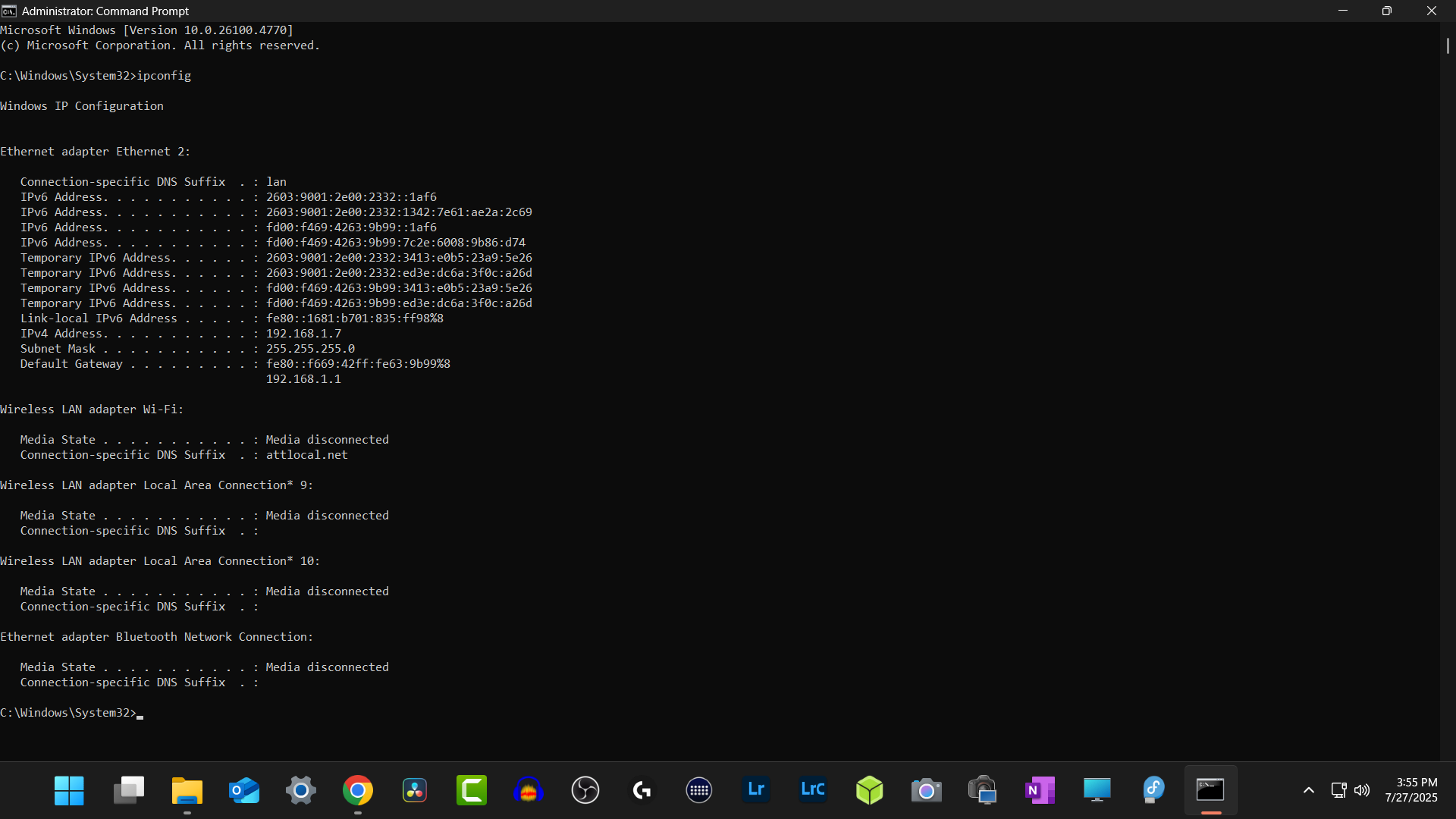
In the third post of this thread you ran ipconfig on your Windows PC, if you rerun that command (on your Windows PC) what does it say now in terms of “IPv4 Address”? You definitely don’t want two devices using the same IP.
Did you enter 192.168.1.7 manually in the TrueNAS GUI in addition to reserving an IP in the Spectrum app?
Try option 1 and see if you can set TrueNAS back to default DHCP settings.
Edit: I reuploaded the screen shot ran that ipconfig again this is what I get,
We confirmed that 192.168.1.7 is reserved in your router app for Windows PC and the Windows PC has that address assigned.
Now you need to reset TrueNAS back to DHCP using those console menus. It should get a different IP address. Make sure you can log into the TrueNAS GUI.
If all that is working, go back in your router app, find the entry for TrueNAS or create one and point it to the address that TrueNAS shows on it’s console. I don’t know how your router app works and the screenshots are cut off, since it’s a phone.
1 Like
Do I reset TrueNas from the GUI interface? Do you have a screen shot were I should be resetting TrueNas
I thought you can’t get to the TrueNAS GUI and only have the console. Reset the network using the console to use DHCP.
I am able to get in now it’s off and on, seems like something keeps changing
In the console what am I resetting? there are a few options I want to make sure I doing it correctly
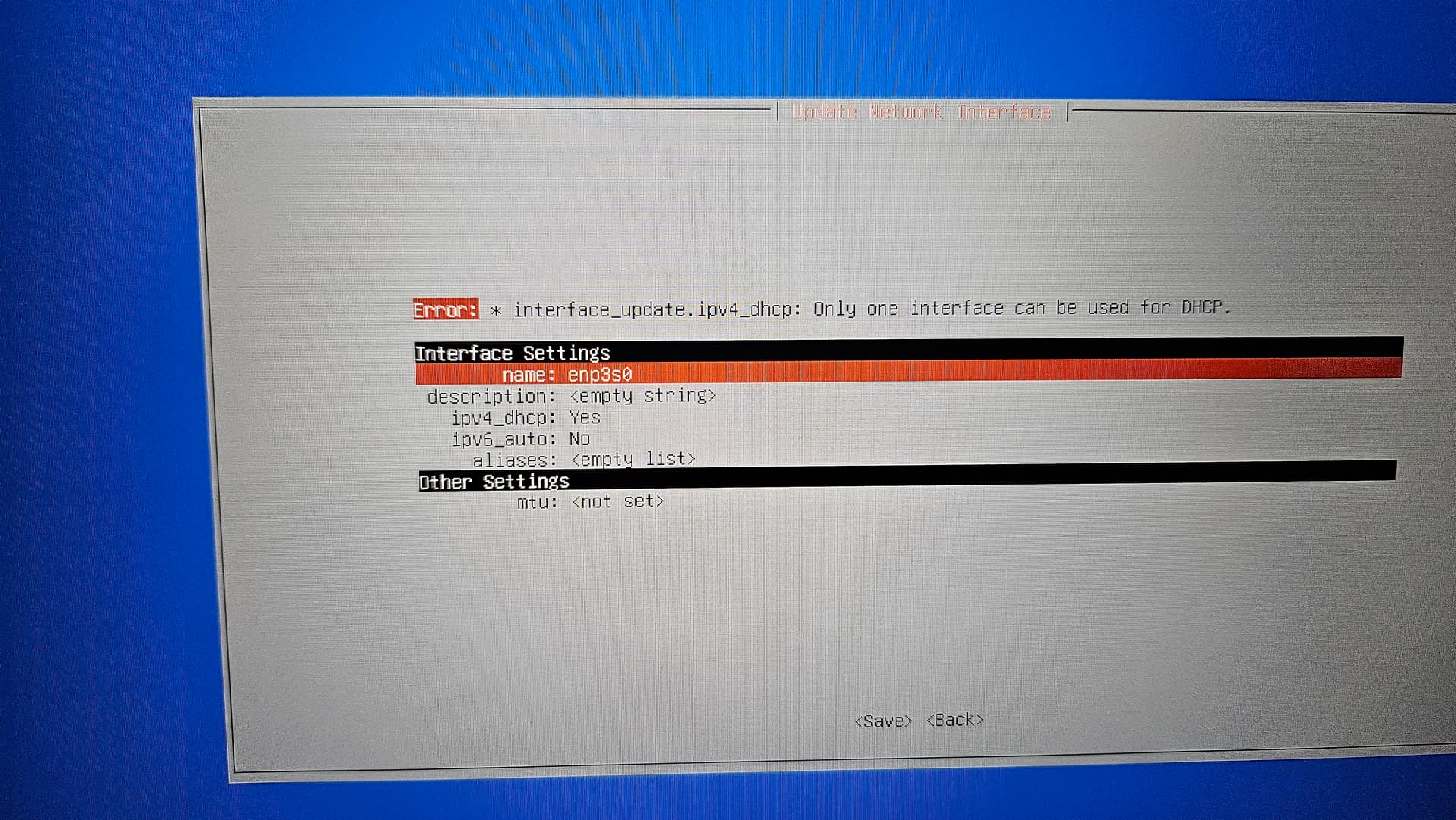
All you should be doing is setting it back to use DHCP for your active NIC. No entering any ip addresses or any other info. Choose and set ipv4_dhcp to YES
Then SAVE
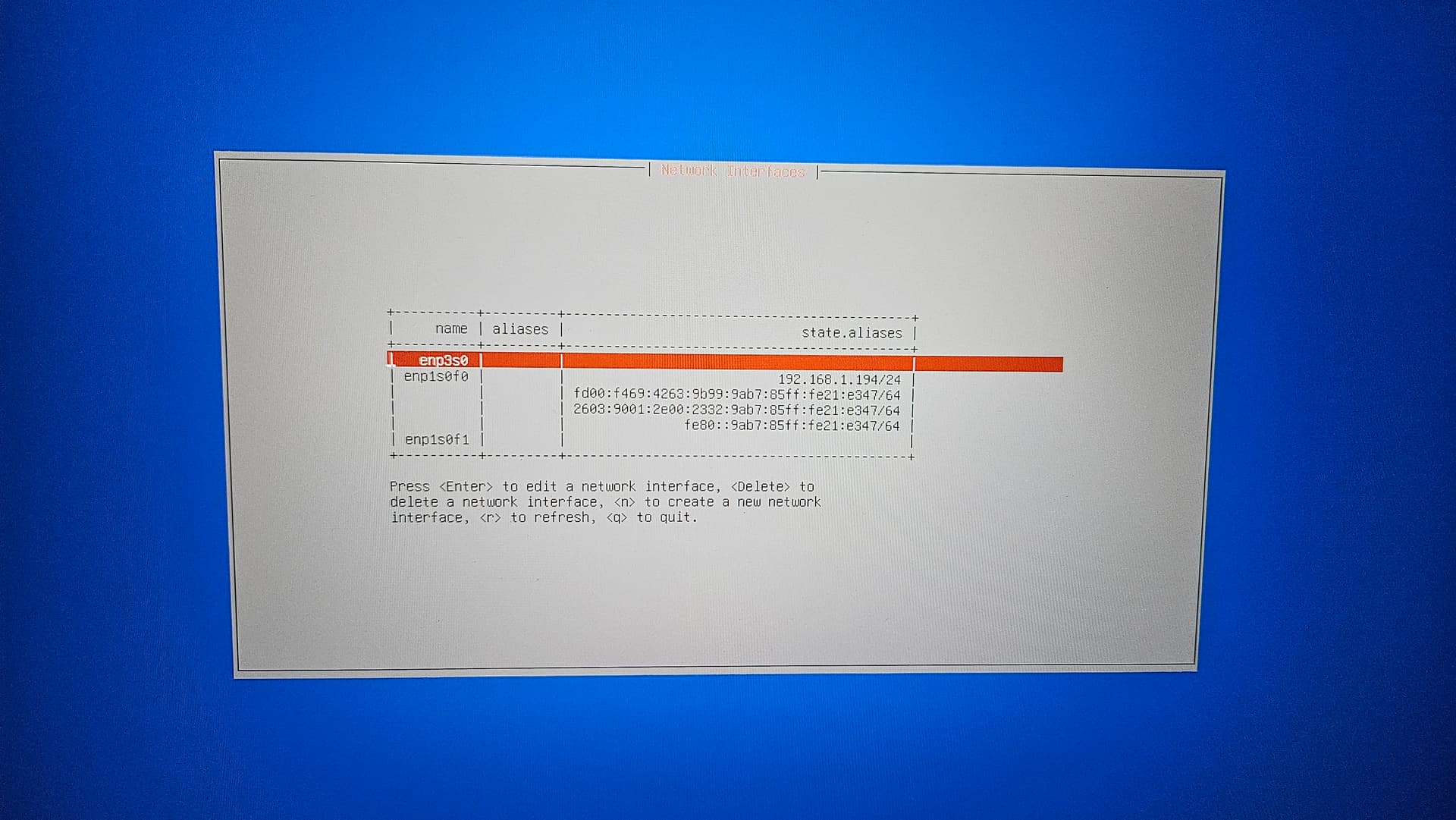
If more than one interface is shown, select the one with 192.168.1.7 as that looked to be what you had it set at on a previous screenshot.
Will do thanks so much for your help and time it’s much appreciated
This is what I got after trying to reset the network
Seems like there are more then one interface added not sure why. And I don’t see any IP
What does the previous screen show?
SmallBarky, What does the previous screen show?
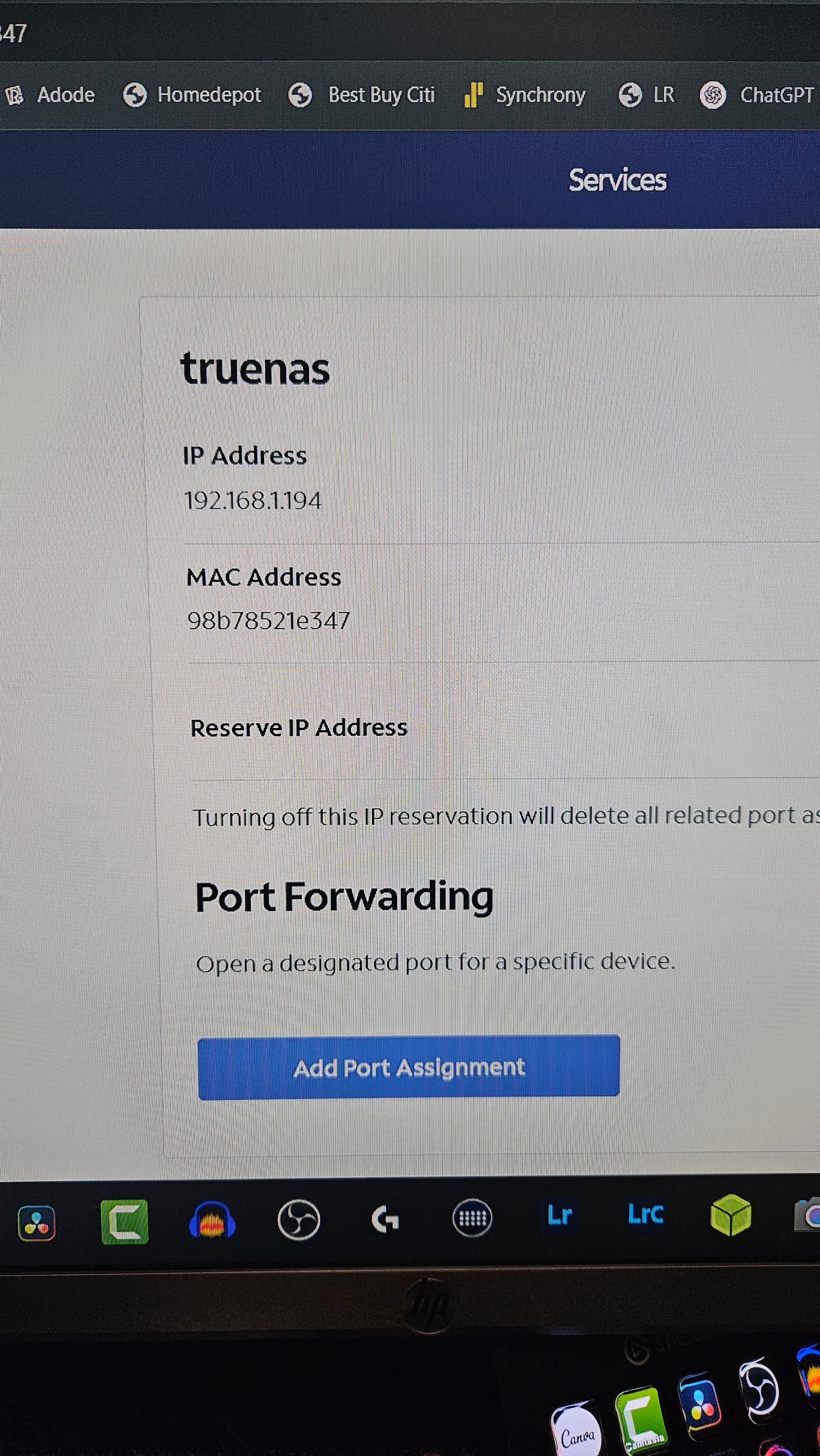
Chose the next one down. enp1s0f0 You might be set for DHCP already. If it is set to YES, you can just exit and go to the router app and look for 192.168.1.194.
If it needs to be set, set to DHCP and you may get a new IP address. Look for that in your router app to set it to reserved
I am hoping this is it
I had to login from my desktop to see my Nas from the provider app. I set it to reserved
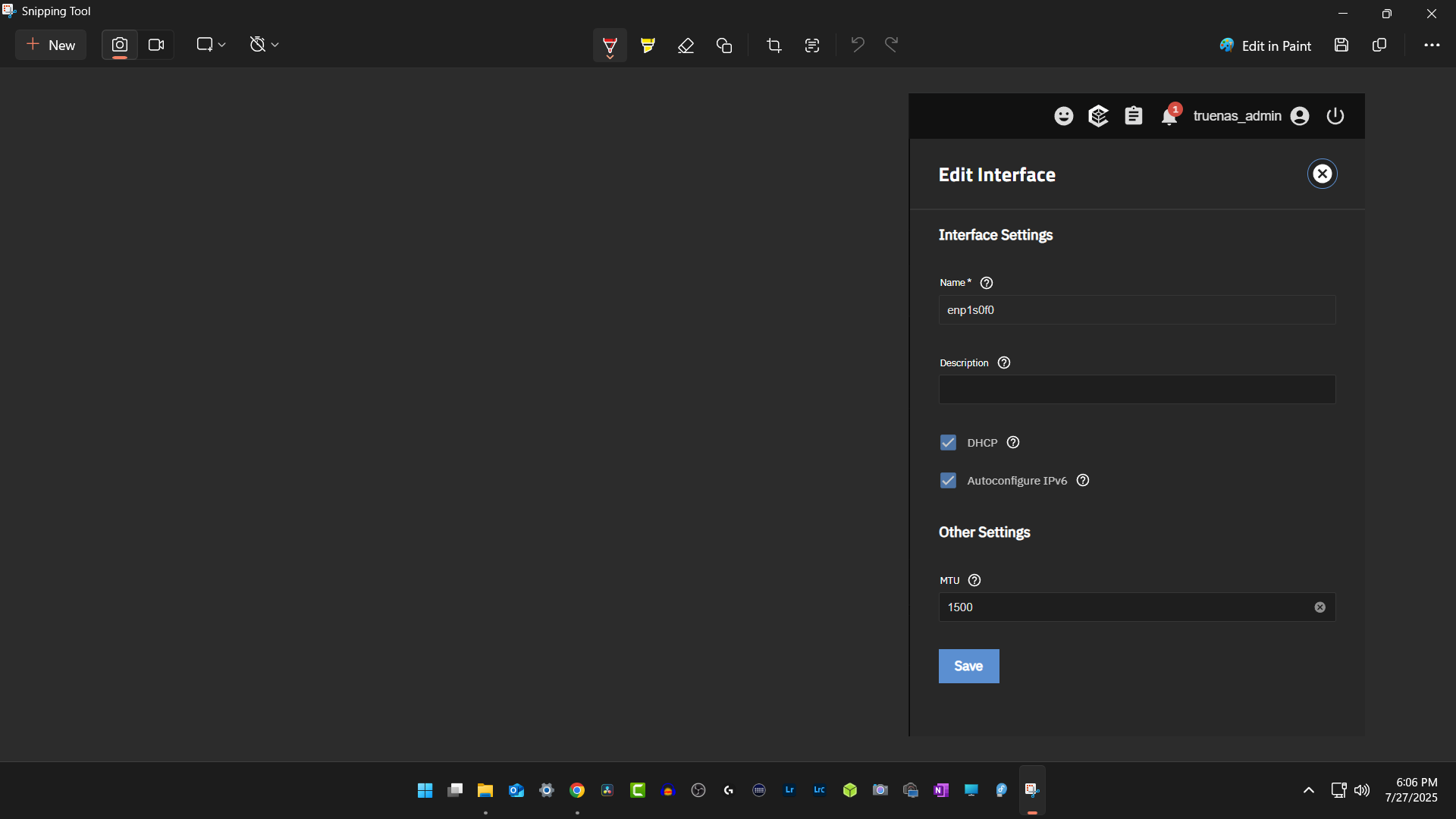
So in my Nas it’s still set to the following do I just leave it like that?
That looks okay.
Now the real test is if you can keep accessing the NAS using: 192.168.1.194
The TrueNAS GUI should be available on that IP using your preferred browser in Windows at least.
Whether or not you can access your shares will depend on if they are set up and what they are named.
Don’t change any of the settings shown on that last Edit Interface screenshot.
I prefer to leave Autoconfigure IPv6 OFF since I don’t use IPv6 on my network, but that’s just a personal preference, keeps yours ON for now unless someone can give a good argument for you to turn it off.
Oh I won’t trust me. It seems like I am able to access my shares it’s using that IP to access them but all looks and works ok for now. Hey man can’t thank you enough for all the help and your time very much appreciated. I will keep an eye on things. Have a great day my friend
1 Like
Thank you my friend for your help and time it’s much appreciated have a great day… You took the time to help as much as you could and I am thankful
1 Like