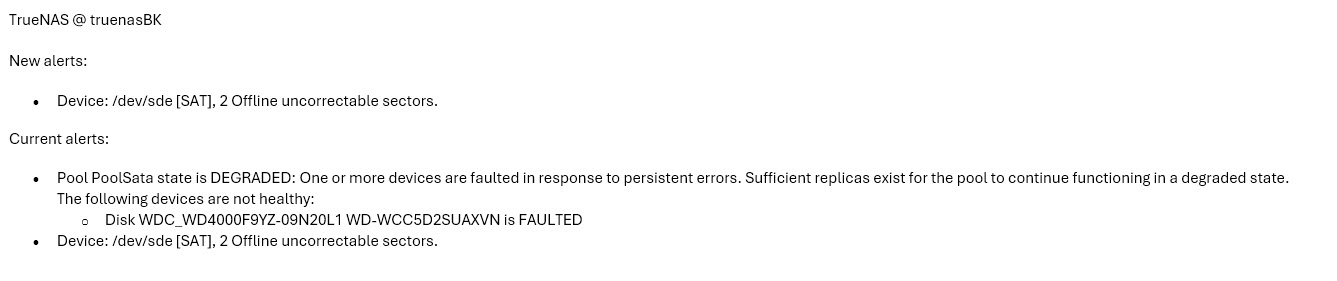
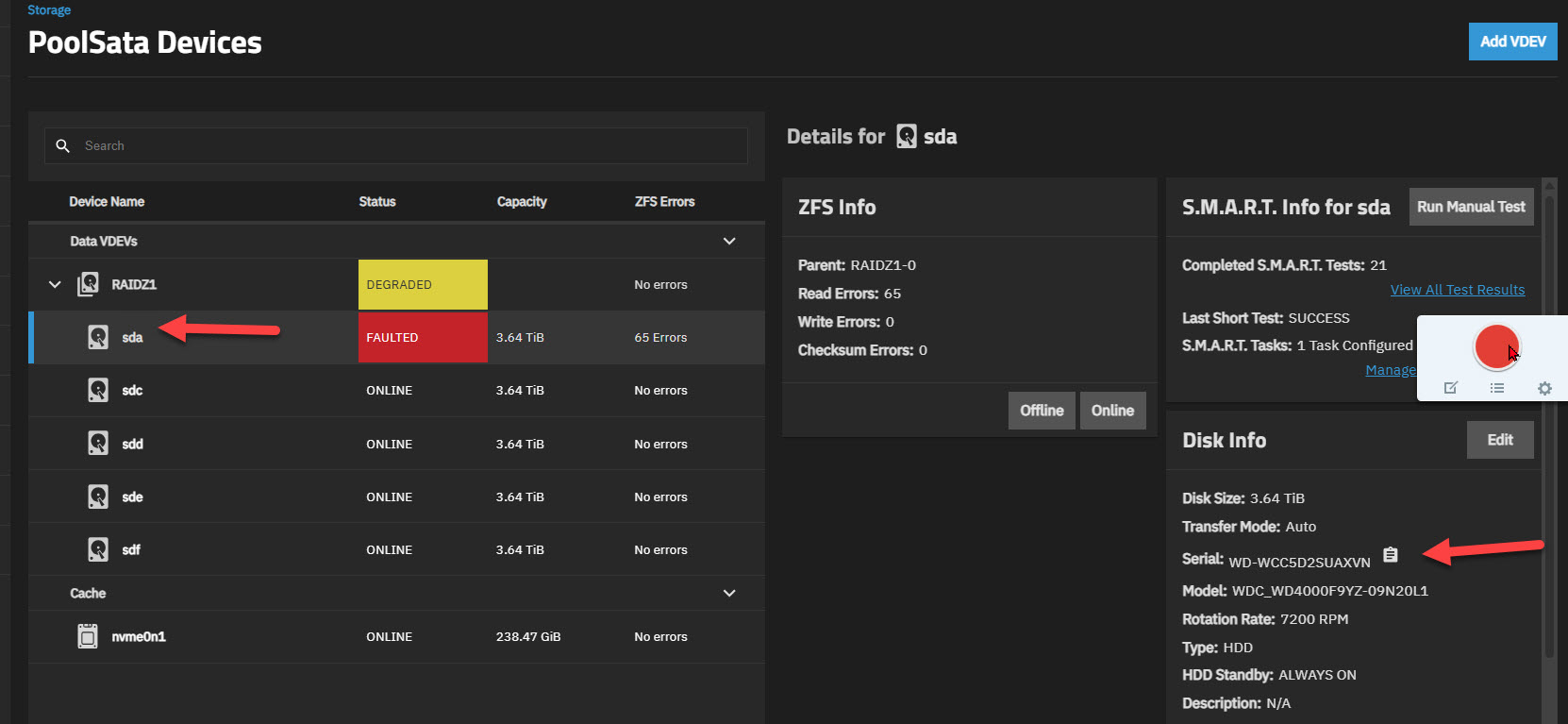
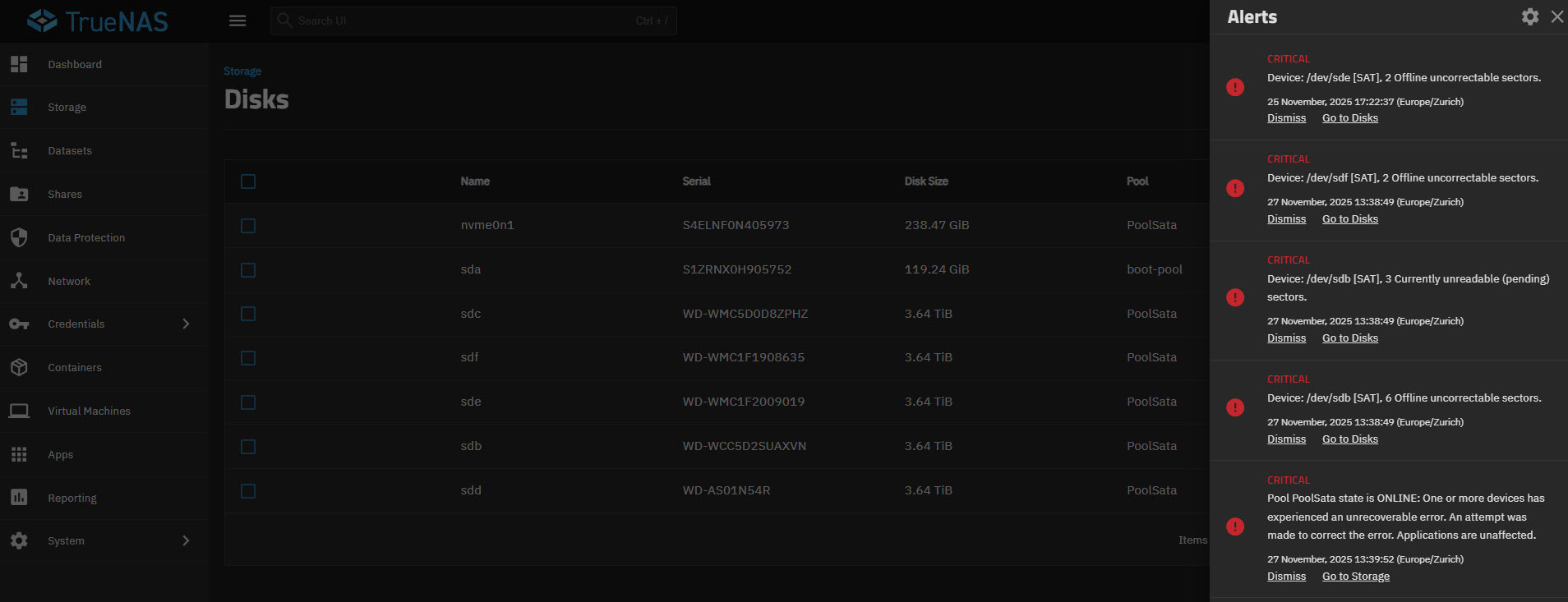
Hello Truenas members, I received an email notification that a disk sde is defective on my Truenas Scale V 25.04.2.6. However, the TN Gui shows a different disk as defective (see image), namely the sda disk. Since I have a RaidZ1, I would like to replace the correct (defective) disk.
But when I look at the serial number in the details, it is the same! It is very confusing that sda is then displayed again as sde in the TN Gui!
I don’t know if it’s directly related to this issue, but be aware the drive letters (e.g. /dev/sda, /dev/sdb, /dev/sdac, etc.) are mutable and liable to change between reboots of the server on TrueNAS.
It’s advisable to keep a record of which HDDs/SSDs are in which drive bays, using their serial nubmers, for identifying the failed drives in situations like this.
I’d also suggest checking out the excellent “Multi-Report” which, in addition to scheduling regular drive testing, has a neat new future to visualise the physical location of disks in your system.
, the disk labels change after a restart, but you can get used to that! However, today there are no “Degreeded or Faulted” messages on the disks. I bought a new disk yesterday and now I don’t know which one needs to be replaced!
You can also get the real device paths in a pool with;
zpool status -L
Last, on occasion errors show up due to SATA cables or other non-failing disk issues. These mean you don't have to replace the disk. One way to help check, is to run a scrub and it's output might help determine if the disk or cable is at fault.
Thank you, I ran the commands smartctl -x /dev/sdb with (sdc-d-e-f-b). Using Notepad++, the disk sdb WD-WCC5D2SUAXVN has the most errors at position 1596, see Error13 at pos 1730, Error12 at pos 1747, Error 11 at pos 1764, Error10 at pos 1781, Error9 at pos 1798, Error 8 at pos 1815, then 1832, then 1832, then 1849. The command zpool status -L is at position 1556. As a non-TN specialist, I would say it is the sdb disk with the SN: WCC5D2SUAXVN. I started the scrub test, but it is taking a very long time…