
Unfortunately, I don’t have another available port.
This is usually not recommended, but you could use a USB3 to SATA adapter as a temporary port. Once the replacement completes, then shut down your system and physically swap the disks.
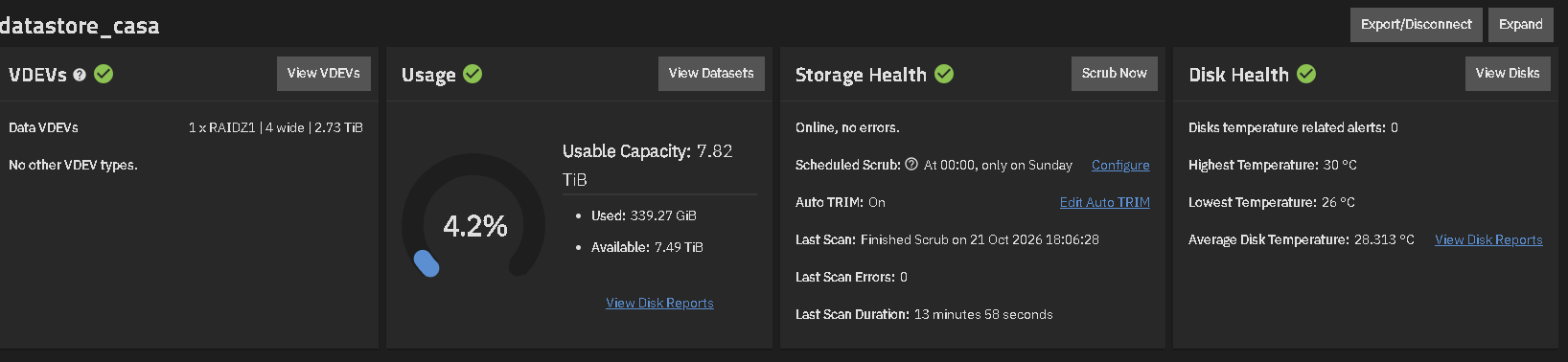
So, do I need to transfer the stored data to another drive, replace the faulty drive, and then recreate the pool using RAIDZ2?
If you have a drive large enough, that would work. Once your data is evacuated, I would just destroy the pool, then replace the drive, and finally recreate it as RAIDZ2.
As I mentioned, I’ve been using Truenas CE for a few months now. The dataset isn’t very large. I can easily move it to another drive.
Did I miss the output of zpool status -v ? This is really needed to provide you an answer. My answer was the safest way to replace a drive, however I don’t do that and many others do not, but we backup our data, and have RAIDZ2. The most important thing, backing up your critical data.
This is the output of the command.
Welcome to TrueNAS
Last login: Wed Oct 21 21:05:21 CEST 2026 on pts/8
truenas_admin@truenas\[\~\]$ zpool status -v
pool: boot-pool
state: ONLINE
scan: scrub repaired 0B in 00:00:17 with 0 errors on Sat Oct 17 03:45:19 2026
config:


    NAME        STATE     READ WRITE CKSUM
    boot-pool   ONLINE       0     0     0
      sda3      ONLINE       0     0     0


errors: No known data errors

pool: datastore02_casa
state: ONLINE
scan: scrub repaired 0B in 00:00:01 with 0 errors on Sun Oct 11 00:00:03 2026
config:


    NAME                                    STATE     READ WRITE CKSUM
    datastore02_casa                        ONLINE       0     0     0
      869d4a68-1023-4fe5-8305-eefde9dff01e  ONLINE       0     0     0


errors: No known data errors

pool: datastore_casa
state: ONLINE
status: One or more devices has experienced an unrecoverable error.  An
attempt was made to correct the error.  Applications are unaffected.
action: Determine if the device needs to be replaced, and clear the errors
using 'zpool clear' or replace the device with 'zpool replace'.
see: https://openzfs.github.io/openzfs-docs/msg/ZFS-8000-9P
scan: scrub repaired 0B in 00:13:58 with 0 errors on Wed Oct 21 18:06:28 2026
config:


    NAME                                      STATE     READ WRITE CKSUM
    datastore_casa                            ONLINE       0     0     0
      raidz1-0                                ONLINE       0     0     0
        9d9bb17e-a664-4a2b-a5f5-48aaa8a17892  ONLINE       0     0     0
        85d94c88-55b0-423f-93e5-210e817a6242  ONLINE       0     0     0
        7605f340-ed5f-433c-9d62-a9c0ab55ee74  ONLINE       0     0     0
        b593e789-5947-4908-b869-5045f2055175  ONLINE       0     0    27


errors: No known data errors
truenas_admin@truenas\[\~\]$
truenas_admin@truenas\[\~\]$
To completely verify which drive is problematic:
lsblk -o NAME,SERIAL,PARTUUID
And a look for b593e789-5947-4908-b869-5045f2055175, you will find the drive serial number and the device id (NAME). It is always good to verify before removing a drive.
As for your question about the risk, if you remove the failing drive and install a new drive, your system is susceptible to a catastrophic failure. Why do I say that? You have a RAIDZ1 which means you have fault tolerance of 1 drive. When you remove the failing drive and install a new drive, until the resilvering is done, if you have a drive failure on any other drive, all your data is basically gone.
In reality all your data is not gone however recovering it could be challenging, and recovering all of it is unlikely. I have heard of folks recovering some data.
This is why it would be best if you could use even a USB adapter for your drive, it would allow for one drive failure other than the one you are replacing.
Good Luck
The procedure I’ll use will be much simpler. Since I haven’t been using Truenas for very long, I’ll transfer the data to an external hard drive, power down the NAS, and then replace the faulty hard drive. After that, I’ll reprogram the pool and set up a RAIDZ2.
After all, I should have thought about backing up the NAS, regardless of the hard drive failure.
This is the S/N of the HD
Just to be clear on my part:
- Backup all your data.
- Power Down.
- Replace Drive.
- Power Up.
- Destroy Pool.
- Make RAIDZ2 Pool.
- Restore your data.
I only ask to be clear that you do not need to “Replace” the ZFS drive (Resilver), but you can destroy the pool immediately. You probably already know this, but…
Good Luck
Sorry, I don’t understand. Could you explain that better? What do you mean by <<I only ask to be clear that you do not need to “Replace” the ZFS drive (Resilver), but you can destroy the pool immediately.>>?
If you have backed up the data elsewhere, you can destroy the pool and then power the system off, physically replace the failed drive and then create a new Raid-Z2 pool with all those drives. You don’t need to do a replace & resilver on the Raid-Z1 VDEV since you are just destroying it to create the Raid-Z2 version

This is the output of the command
=== START OF INFORMATION SECTION ===
Model Family: Western Digital Red
Device Model: WDC WD30EFRX-68AX9N0
Serial Number: WD-WMC1T2686511
LU WWN Device Id: 5 0014ee 0ae31f1ca
Firmware Version: 80.00A80
User Capacity: 3,000,592,982,016 bytes [3.00 TB]
Sector Sizes: 512 bytes logical, 4096 bytes physical
Device is: In smartctl database 7.3/5528
ATA Version is: ACS-2 (minor revision not indicated)
SATA Version is: SATA 3.0, 6.0 Gb/s (current: 6.0 Gb/s)
Local Time is: Sat Oct 31 20:01:34 2026 CET
SMART support is: Available - device has SMART capability.
SMART support is: Enabled
=== START OF READ SMART DATA SECTION ===
SMART overall-health self-assessment test result: PASSED
General SMART Values:
Offline data collection status: (0x00) Offline data collection activity
was never started.
Auto Offline Data Collection: Disabled.
Self-test execution status: ( 0) The previous self-test routine completed
without error or no self-test has ever
been run.
Total time to complete Offline
data collection: (39600) seconds.
Offline data collection
capabilities: (0x7b) SMART execute Offline immediate.
Auto Offline data collection on/off support.
Suspend Offline collection upon new
command.
Offline surface scan supported.
Self-test supported.
Conveyance Self-test supported.
Selective Self-test supported.
SMART capabilities: (0x0003) Saves SMART data before entering
power-saving mode.
Supports SMART auto save timer.
Error logging capability: (0x01) Error logging supported.
General Purpose Logging supported.
Short self-test routine
recommended polling time: ( 2) minutes.
Extended self-test routine
recommended polling time: ( 398) minutes.
Conveyance self-test routine
recommended polling time: ( 5) minutes.
SCT capabilities: (0x70bd) SCT Status supported.
SCT Error Recovery Control supported.
SCT Feature Control supported.
SCT Data Table supported.
SMART Attributes Data Structure revision number: 16
Vendor Specific SMART Attributes with Thresholds:
ID# ATTRIBUTE_NAME FLAG VALUE WORST THRESH TYPE UPDATED WHEN_FAILED RAW_VALUE
1 Raw_Read_Error_Rate 0x002f 200 200 051 Pre-fail Always - 9
3 Spin_Up_Time 0x0027 182 175 021 Pre-fail Always - 5883
4 Start_Stop_Count 0x0032 100 100 000 Old_age Always - 434
5 Reallocated_Sector_Ct 0x0033 200 200 140 Pre-fail Always - 2
7 Seek_Error_Rate 0x002e 100 253 000 Old_age Always - 0
9 Power_On_Hours 0x0032 001 001 000 Old_age Always - 79730
10 Spin_Retry_Count 0x0032 100 100 000 Old_age Always - 0
11 Calibration_Retry_Count 0x0032 100 100 000 Old_age Always - 0
12 Power_Cycle_Count 0x0032 100 100 000 Old_age Always - 430
192 Power-Off_Retract_Count 0x0032 200 200 000 Old_age Always - 313
193 Load_Cycle_Count 0x0032 200 200 000 Old_age Always - 120
194 Temperature_Celsius 0x0022 122 101 000 Old_age Always - 28
196 Reallocated_Event_Count 0x0032 199 199 000 Old_age Always - 1
197 Current_Pending_Sector 0x0032 200 200 000 Old_age Always - 1
198 Offline_Uncorrectable 0x0030 100 253 000 Old_age Offline - 0
199 UDMA_CRC_Error_Count 0x0032 200 200 000 Old_age Always - 0
200 Multi_Zone_Error_Rate 0x0008 200 200 000 Old_age Offline - 0
SMART Error Log Version: 1
No Errors Logged
SMART Self-test log structure revision number 1
Num Test_Description Status Remaining LifeTime(hours) LBA_of_first_error
1 Extended offline Completed without error 00% 43475 -
2 Extended offline Completed without error 00% 42731 -
3 Extended offline Completed without error 00% 42012 -
4 Extended offline Completed without error 00% 41270 -
5 Extended offline Completed without error 00% 40598 -
6 Extended offline Completed without error 00% 39569 -
7 Extended offline Completed without error 00% 38849 -
8 Extended offline Completed without error 00% 38105 -
9 Extended offline Completed without error 00% 37386 -
#10 Extended offline Completed without error 00% 36645 -
#11 Extended offline Completed without error 00% 35907 -
#12 Extended offline Completed without error 00% 35187 -
#13 Extended offline Completed without error 00% 34580 -
#14 Extended offline Completed without error 00% 33862 -
#15 Short offline Completed without error 00% 32551 -
#16 Short offline Completed without error 00% 32383 -
#17 Short offline Completed without error 00% 32215 -
#18 Extended offline Completed without error 00% 32160 -
SMART Selective self-test log data structure revision number 1
SPAN MIN_LBA MAX_LBA CURRENT_TEST_STATUS
1 0 0 Not_testing
2 0 0 Not_testing
3 0 0 Not_testing
4 0 0 Not_testing
5 0 0 Not_testing
Selective self-test flags (0x0):
After scanning selected spans, do NOT read-scan remainder of disk.
If Selective self-test is pending on power-up, resume after 0 minute delay.
The above only provides legacy SMART information - try ‘smartctl -x’ for more
truenas_admin@truenas[~]$
this is the command <<sudo smartctl -a /dev/sdc>>
I want to assure you that no changes have been made to the NAS
Prepare to replace Old Faithful after 9 years of service…
It is starting to degrade.