
Thank you i will do that
Thank you for everything. I was able to get everything installed. My only problem now is i cannot access nextcloud. i get this error when trying my ip address.
Secure Connection Failed An error occurred during a connection to 10. 0. Peer reports it experienced an internal error. Error code: SSL_ERROR_INTERNAL_ERROR_ALERT
The page you are trying to view cannot be shown because the authenticity of the received data could not be verified. Please contact the website owners to inform them of this problem.
In the instructions It says something about HOST_NAME needs to resolve to your jail from inside your network or install pi-hole. Can you help with this? Thank you
That means you have to set your router to make sure that when you go to your domain, it will take you to your IP address.
This can be done in your router settings if you have an advanced enough router, or you can do it using your hosts file on your computer. Though if you do that it will only work for your computer and not for other devices.
In your router it would probably be under DNS > DNS overrides or something similar to that.
I am having an issue. I put in my static Ip address in my router dns and i lose my internet. This is frustrating. I get everything installed and i cannot use it. Thank you for your help.
What do you mean your put your static IP in your DNS?
Yes, I put my Ip address that i have for nextcloud into my dns configuration in my router but that did not work. I contacted netgear to see if there was another place to insert the dns into, but they said that was it and they suggested i put 8.8.8.8 and 8.8.4.4 and use that. I still have internet with that configuration but when i put in my domain i am sent to my domain name web site. I’m not sure what to do now. Thank you
I’m not sure how your netgear router works. Maybe you could share some screenshots of your DNS page settings?
I use pfsense and it’s real easy to configure there.
An alternative for you if you want to be able to access it via IP address is to add your IP to the “trusted_domains” section inside your config.php file.
Is the domain pointed to your public IP?
Is port 443 and 80 forwarded to your nextcloud IP?
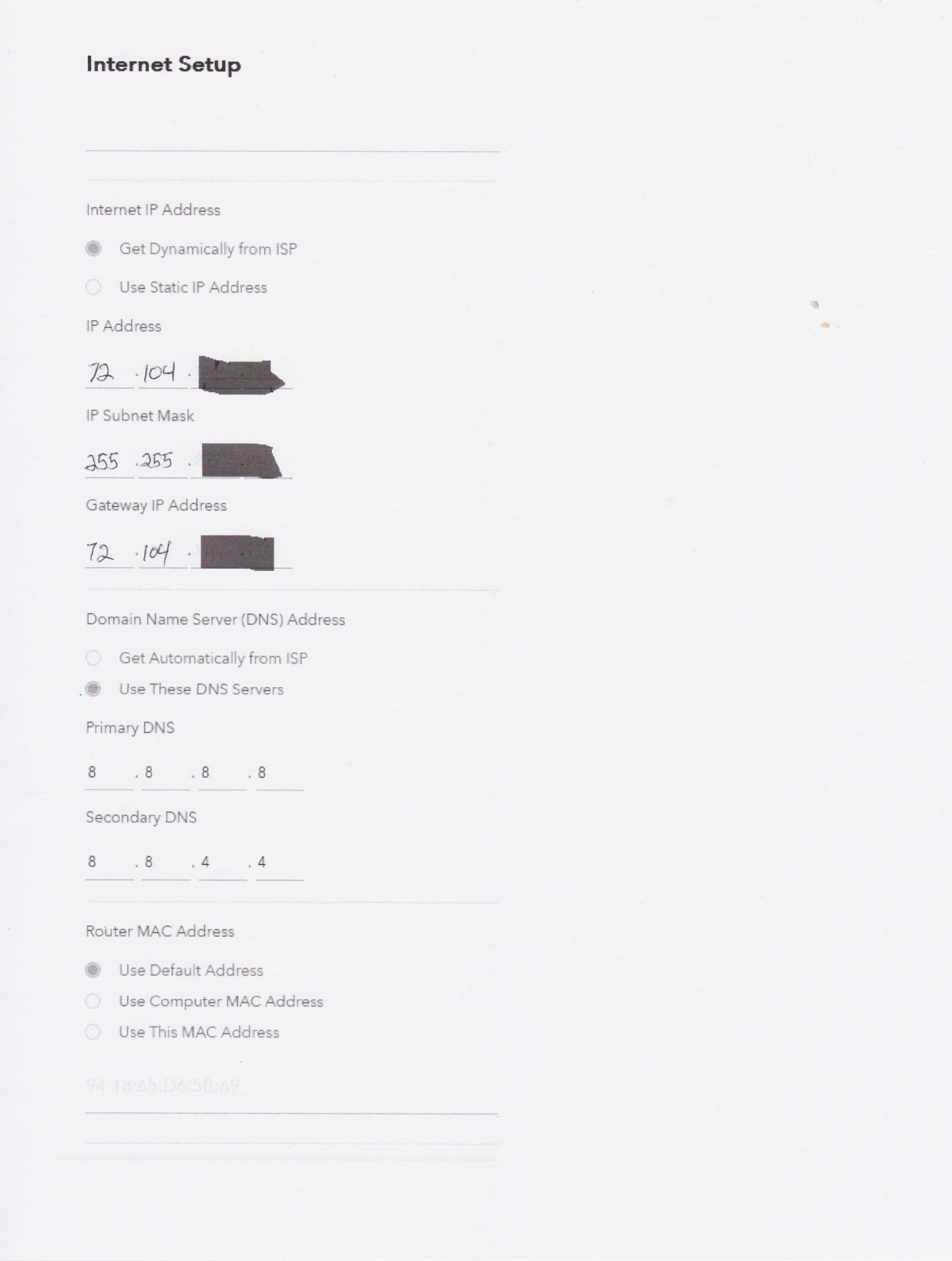
Those are your main DNS settings. Don’t mess around with them for now.
I’m talking about your local resolver.
Is there a section called “Port Forwarding”?
yes there is
So you should be able to port forward ports 80 and 443 to your nextcloud IP.
I have my ports 443 and port 80 pointed to my nextcloud but it still is not working when i enter my domain.
What happens when you try to ping your domain? Do you get your public IP as a response? Does it timeout?
When I ping all it does is repeat the same thing over and over.
I did ping fpohlxxxxxxxxxxx.com in my nextcloud shell and my truenas shell
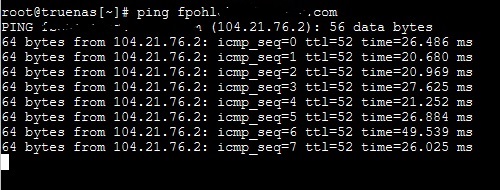
Is that your public IP that it’s resolving to?
I think so I am not sure i did not input the IP address That what it returned.
When you configured your DNS name in Cloudflare, you needed to set the domain, and the IP it points to? Does that IP in Cloudflare match the one in the screenshot you posted?
In cloudflare In my dns record under the A type it showes my domain name but it has a different IP address.
All i did was set the nameserver in my ionos dashboard and it pointed the domain to cloudflare but i have done nothing else with cloudflare. Is there something else i need to do I am not sure. Thank you