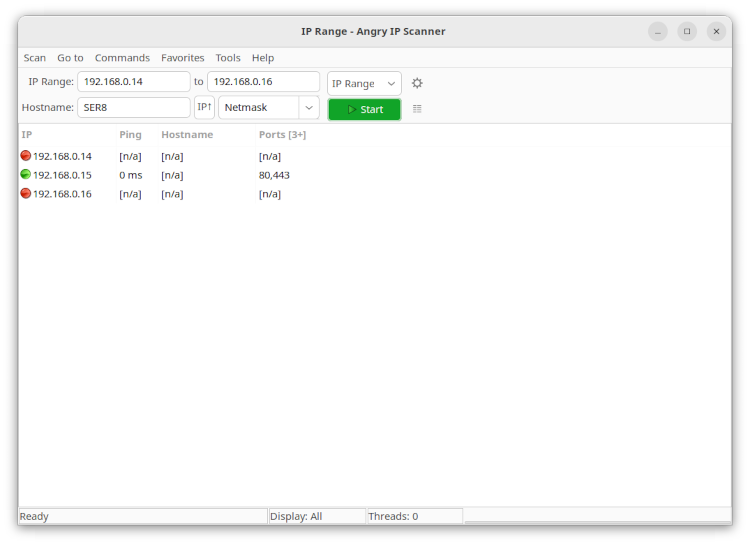
Hey all, first post here and I’m still a beginner with this so bear with me. I set up my server about a week ago and everything was fine, I accessed the web interface using the IP it was given and configured everything, including an SMB share I could access from Windows Explorer on my main PC. Once I was done, I shut it off and removed it from my desk. Yesterday, I moved it to the new location which is all of 15 feet away, with the same ethernet cable, same everything and it booted fine. However, I can’t access the web interface. The IP address is the same ( I even set a static IP connection in my router settings when I initially set it up ) and the default gateway correct. Genuinely can’t seem to figure out what the problem is, as no cables are loose, and all the settings seem to be correct. Any help appreciated.
Also I will add that the server is on, but I literally can’t access it anywhere. Can’t access the web UI from any device, can’t access the SMB share, can’t ping it, can’t see it as active on my router settings, nothing.
Do you use DHCP for the rest of your network? I would try swapping cables and ports. Make sure the network cable works elsewhere, Make sure a network port didn’t die. Are you looking at the console monitor to check for errors?
Full hardware details and OS version. You can try resetting the network in the Console or putting it back to DHCP.
Attach a monitor and a keyboard to the server so that you can see the console output.
I have, there’s no errors. It boots normally showing the same IP address as always for the web interface, showing the same options.
I’ve tried 2 different cables on 3 different ports and none of them seem to work for the server. The port itself is fine, it has a light to show it’s connected and that the device it’s connected to is powered on. The console shows no errors, just boots normal showing the same IP address as always. I use DHCP for the rest of the network. How would I go about resetting the network? just going through the 1-10 options?
Let’s try the following.
- Connect the computer/laptop directly with LAN cable to the NAS (disable WiFi)
- Set static IP (alias) on the server to 192.168.0.10/24 (so disable DHCP option)
- Set static IP on your computer/laptop to 192.168.0.11
- See what happens, try to access like this.
What is the network cable connected to? Directly to the router? To a switch? I assume you mean that it’s connected to the same port on said router or switch as when it worked?
Yes, I initially had it connected to a switch that is connected to the router, then when I moved it physically I made sure it was plugged in with the same cable on the same port
Sorry, still not clear. It used to be connected through a switch and now it isn’t?
Was connected to switch, then disconnected and reconnected to same switch. Only thing that has changed is it’s location in the room. Same cable, same port, same switch.
Okay everyone here’s what I’ve tried so far to no avail:
- Manually changing IP (no DHCP)
- Different ports and different cables on switch and on router directly
- Re-installing TrueNAS 3 times
- Resetting to default configuration
- Disabling IPv6
- Resetting my router
As of right now, I still cannot access the web UI from any device, and the only device that can ping the server is my router. The server itself can ping other devices, however.
EDIT: Someone on reddit suggest I run tcpdump and then ping from my desktop. I did so, and got the following output.
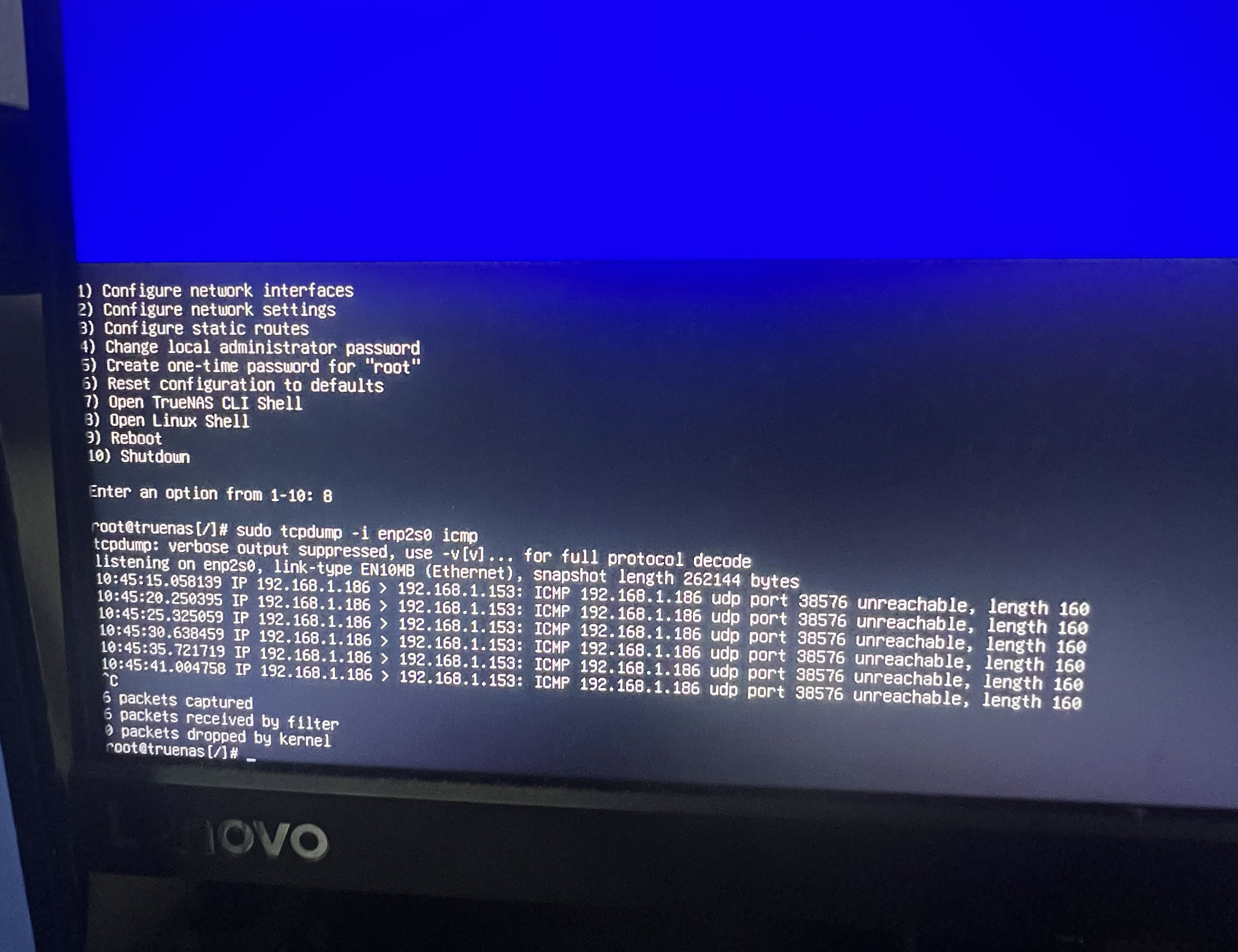
When you set TrueNAS back to default configuration, did it get an address over DHCP and it still wasn’t reachable with ping nor the GUI?
I think I might be running into this on 2 of my 3 Truenas (thankfully the 2 that are mostly for backup)
I’ll try to investigate more.
The one that is working just fine is a pretty new Ugreen 4-bay
The other two are a new Ugreen 2-bay and an old HP Microserver. They are all static ip, the 2 Ugreen are on the same switch.
When it reset the first time, it said “no network interface” so I had to go into the network settings and make it get an IP through DHCP. Once it did, it was the same IP address it’s always gotten: 192.168.1.186. Still wasn’t reachable by ping or GUI
Let me know if you find anything out at all! I’ve been troubleshooting with everyone I know, and on Reddit. Can’t find anything that works. For reference, I’m running an old Dell OptiPlex Micro with TrueNAS on the NVMe SSD, and it’s connected to a drive enclosure, that I was planning to use for the mass storage before this issue came up.
Do you have any spare hard drives or something you can install TrueNAS to on the OptiPlex Micro? I am wondering if we can bring it up without any data drives attached and just a boot drive with a new install. That should connect, by default, using DHCP. It should also rule out any thing you have in your settings that are locking us out. Booting a Live Linux version and seeing if you get network connectivity would also help rule out a bad NIC.
Is the Drive Enclosusre attached with SCSI or SATA? Is this a USB drive enclosure? (Very discouraged with ZFS)
- Don’t have anything spare to install onto, unfortunately
- I reinstalled TrueNAS, reset it to default config, and even reset BIOS to default settings and nothing changed connection wise unfortunately
- Would it be possible for a NIC to just go bad in a week with no physical damage? It was working fine last week when I installed and between then and now it was just sitting on my table
- Enclosure is indeed USB, I was aware of the discouragement but I decided to do it anyways just to try it
I would try booting a live Linux version. TrueNAS is based on Debian but you can try any distro you want to. You can disconnect your data drives so there is no chance of those being accessed. I just want to see if your hardware is working. NIC going bad could have happened.
Complete new install of TrueNAS should have got IP from DHCP by default and allowed you to a GUI for setup.